iOS
Add eSIM from the app, QR, or Settings → Cellular → SM-DP+ address + activation code. iOS 15.1+.
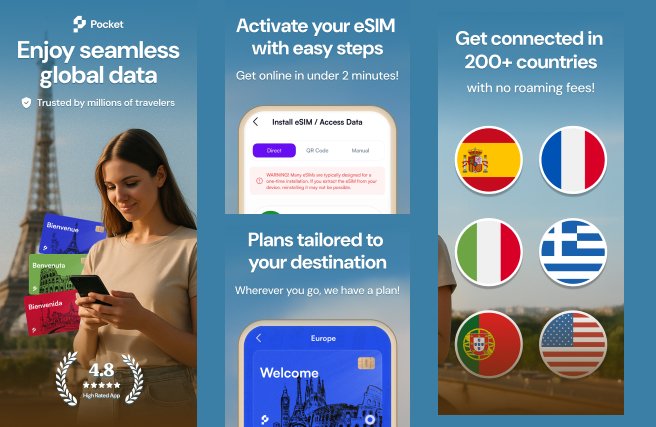
ShippedPrepaid eSIM for 160–200+ countries. Not a website with a QR PDF. Native iOS and Android: pick a plan, pay in-app (no subscription), install via QR, in-app, or SM-DP+ + activation code.
What shipped: native apps (Play: app.pocketesim.com, App Store: Pocket eSim: Travel & Internet). Node.js API for catalog, orders, and eSIM profiles. Integration with carrier SM-DP+ (GSMA SGP.22). Keep the primary SIM for calls; Pocket eSIM is data.
No ops web console in this case study. If install fails at immigration Wi-Fi, the app failed.
Add eSIM from the app, QR, or Settings → Cellular → SM-DP+ address + activation code. iOS 15.1+.
ShippedSIM manager / scan carrier QR. Same order object.
ShippedWhatsApp/email from the stores. Order id is in PostgreSQL, not a screenshot.
ShippedBefore eSIM, Lena queued for a physical SIM, lost her home number for a week, or paid carrier roaming. QR PDFs in email failed because the phone could not scan itself.
A blog of “we sell eSIM.”
Country packages, GB, validity. Store IAP.
Hidden renewals.
Play/App IAP. Pay-as-you-go as the listing says.
Email PDF only.
In-app, QR, or manual SM-DP+ + code.
Swap plastic, lose OTP SMS.
Data on Pocket eSIM, voice on primary.
Must be home to activate.
Activate on airport Wi-Fi.
“I bought something.”
Order id, ICCID, install state.
Taken from the Play listing and App Store page: prepaid eSIM, QR / in-app / manual SM-DP+, 200+ countries, IAP not subscriptions, 24/7 support. We do not fake a carrier core — we orchestrate GSMA download onto the eUICC.
Source: Play Store (app.pocketesim.com) and App Store (id6476932559); pocketesim.com install guides (QR and SM-DP+).
Catalog, purchase, install instructions, usage. No WebView checkout as the only path.
Activation code + SM-DP+ address, QR, or carrier in-app install.
Plans, orders, profile lifecycle, support lookup.
Users, IAP receipts, ICCIDs, top-ups.
Install on lounge Wi-Fi.
Prepaid GB. Primary number stays.
Top-up is not a new mystery.
Native iOS/Android, SM-DP+, Node.js orders — the Pocket eSIM shape.